To extend WiFi range outside, you must choose the right method based on distance, line-of-sight, and performance requirements. Copper Ethernet is limited to 100 meters (328 feet) before signal degradation occurs. For longer distances, you’ll need fiber optic cabling or a properly engineered 5 GHz point-to-point wireless bridge. Simply adding a repeater is rarely the correct long-term solution.
Whether you’re extending WiFi to a backyard, pool house, detached garage, guest house, or neighboring building, the solution depends on infrastructure constraints and throughput expectations. Below is a structured breakdown of what works — and what doesn’t.
Choose the Right Location for Your Router or Access Point
WiFi signals broadcast omnidirectionally unless using sectorized or directional antennas. Therefore, placement matters more than most people realize. Ideally, position your access point at the central core of the structure and elevated above major obstructions.
Keep in mind:
- Glass, metal, stone, and concrete weaken signal strength.
- 2.4 GHz penetrates walls better but suffers from heavy interference.
- 5 GHz offers higher throughput and lower congestion but shorter range.
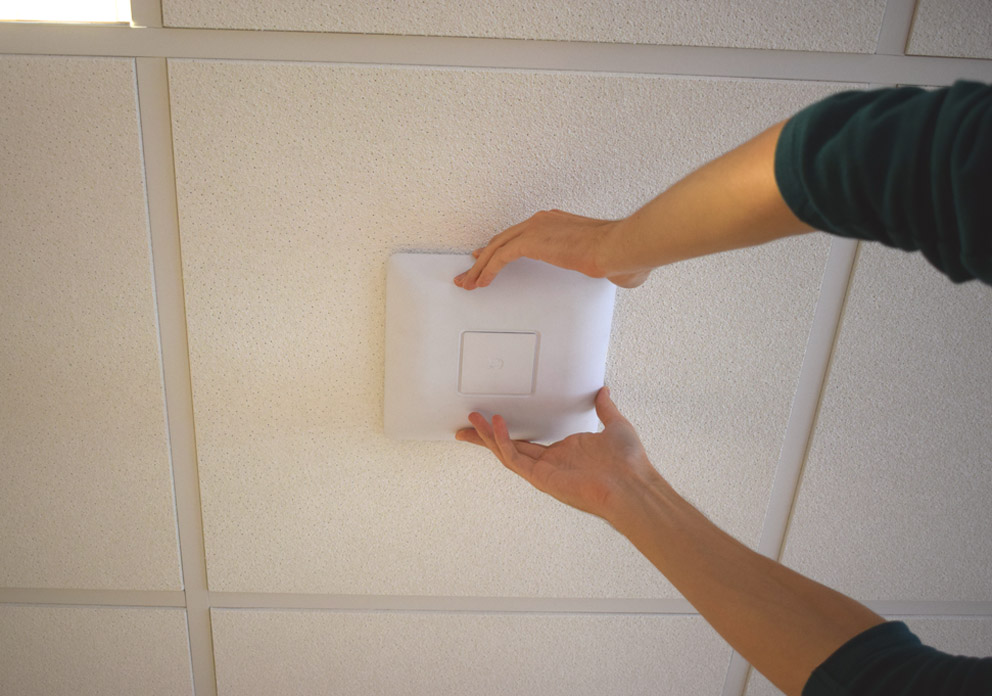
- Mounting height improves signal propagation and reduces absorption.
Before buying new hardware, optimize placement. In many cases, strategic repositioning improves coverage significantly.
Stay Away from Repeaters
Consumer repeaters extend coverage but typically cut available throughput in half because they retransmit on the same channel. Additionally, unmanaged repeaters create roaming issues, interference, and inconsistent performance.
Mesh systems with dedicated wireless backhaul perform better than basic repeaters. However, a wired backhaul or wireless bridge will always outperform consumer repeaters in terms of stability and latency.
If performance matters, avoid quick-fix extenders.
Use the Right Equipment
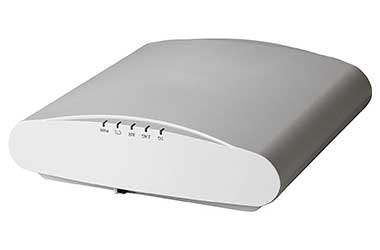
Residential routers are typically designed for under 1,000 square feet and a dozen active devices. Extending WiFi outdoors or across buildings requires enterprise-grade access points capable of handling higher client density and sustained throughput.
Look for:
- 802.11ac Wave 2 or WiFi 6 hardware
- 5 GHz support
- Outdoor-rated IP65+ enclosures (for exterior installs)
- PoE capability for simplified deployment
The right hardware determines whether your network is stable or constantly troubleshooting itself. If you need help selecting and deploying enterprise-grade equipment, our wireless network installation services are designed for both residential estates and commercial environments.
Employ a Unified Management System
If you deploy multiple access points, they must operate under a unified controller or cloud management system. Otherwise, devices may stick to weak signals instead of roaming properly.
Enterprise systems allow:
- Seamless roaming
- Single SSID broadcasting
- Centralized configuration
- Channel optimization
- Power tuning
Without unified management, expanding coverage often creates more problems than it solves.
Configure Your Equipment Properly
Configuration determines performance.
For high-performance outdoor extension:
- Prioritize 5 GHz for throughput and reduced congestion.
- Disable unnecessary 2.4 GHz broadcasting where possible.
- Reduce channel width in congested areas (20 MHz improves stability).
- Avoid overlapping channels.
Modern devices fully support 5 GHz. Interference on 2.4 GHz from microwaves, cordless phones, and neighboring networks makes it unreliable for high-demand environments.
Ongoing monitoring and tuning are critical for maintaining performance over time. Our managed WiFi services provide proactive optimization, firmware management, and performance oversight.
Choose Cable, When Possible
Cable is always the most reliable solution for extending WiFi to another structure.
However, copper Ethernet (Cat5e/Cat6) is limited to 100 meters (328 feet). Beyond that, signal attenuation causes packet loss and instability unless powered intermediate switches are installed.
Fiber optic cable supports significantly longer distances with minimal latency but requires trenching, permitting, and higher installation costs.
If your distance exceeds 328 feet and trenching is undesirable, a wireless bridge becomes the best alternative.
Opt for Outdoor Access Points
If you only need WiFi in a backyard, patio, or pool area within a few hundred feet of the house, installing an outdoor-rated access point is typically the cleanest solution.
Outdoor APs are weather-resistant and designed to withstand temperature changes, moisture, and environmental exposure.
This is ideal for short-range outdoor coverage but not for spanning large distances between buildings.
Mind the Gap with a Wireless Bridge
For distances between 300 feet and 1,500+ feet, a 5 GHz point-to-point wireless bridge is often the most cost-effective and highest-performing solution when clear line-of-sight exists.
A wireless bridge establishes a dedicated Layer 2 transparent link between two structures using directional antennas. Proper alignment and Fresnel zone clearance (at least 60%) are critical for stability.
Real-World Example: Extending WiFi 1,000 Feet Without Fiber
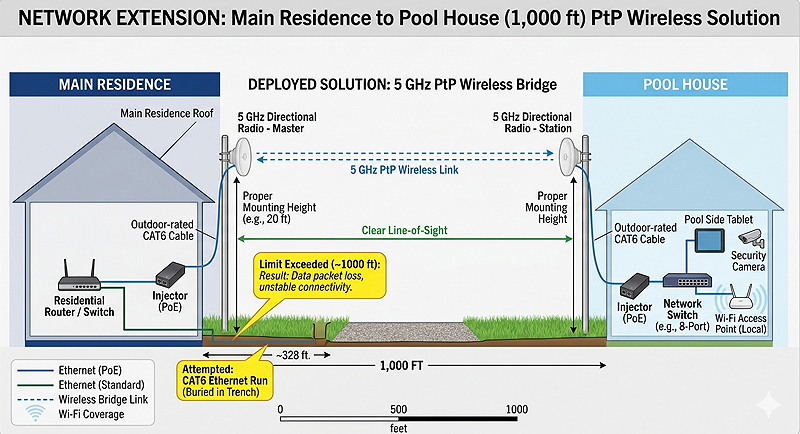
A residential client with a multi-acre property needed to extend their LAN to a pool house located roughly 1,000 feet from the main residence. An Ethernet run had already been attempted, but copper cabling beyond 328 feet resulted in unstable connectivity and packet loss.
Trenching fiber was possible but expensive and disruptive. Instead, we deployed a 5 GHz directional point-to-point wireless bridge with clear line-of-sight and proper mounting height.
| Metric | Result |
|---|---|
| Distance | 1,000 feet |
| Frequency Band | 5 GHz |
| Throughput | 450+ Mbps |
| Latency Added | Less than 2 ms |
| Packet Loss | 0% during testing |
| Stability | 99.99% uptime observed |
Devices in the pool house operated as if directly connected to the main LAN — without trenching fiber and at a fraction of the cost.
Distance-Based Recommendation Guide
| Distance | Recommended Solution |
|---|---|
| Under 100 feet | Reposition router or add outdoor access point |
| 100–300 feet | Outdoor access point or Ethernet |
| 300–1,500 feet | Point-to-point wireless bridge |
| 1,500+ feet | Fiber optic cable or licensed wireless link |